
A trading journal, with guides and tools, to help you trade with a plan and a clear head.

How it helps


See it inside
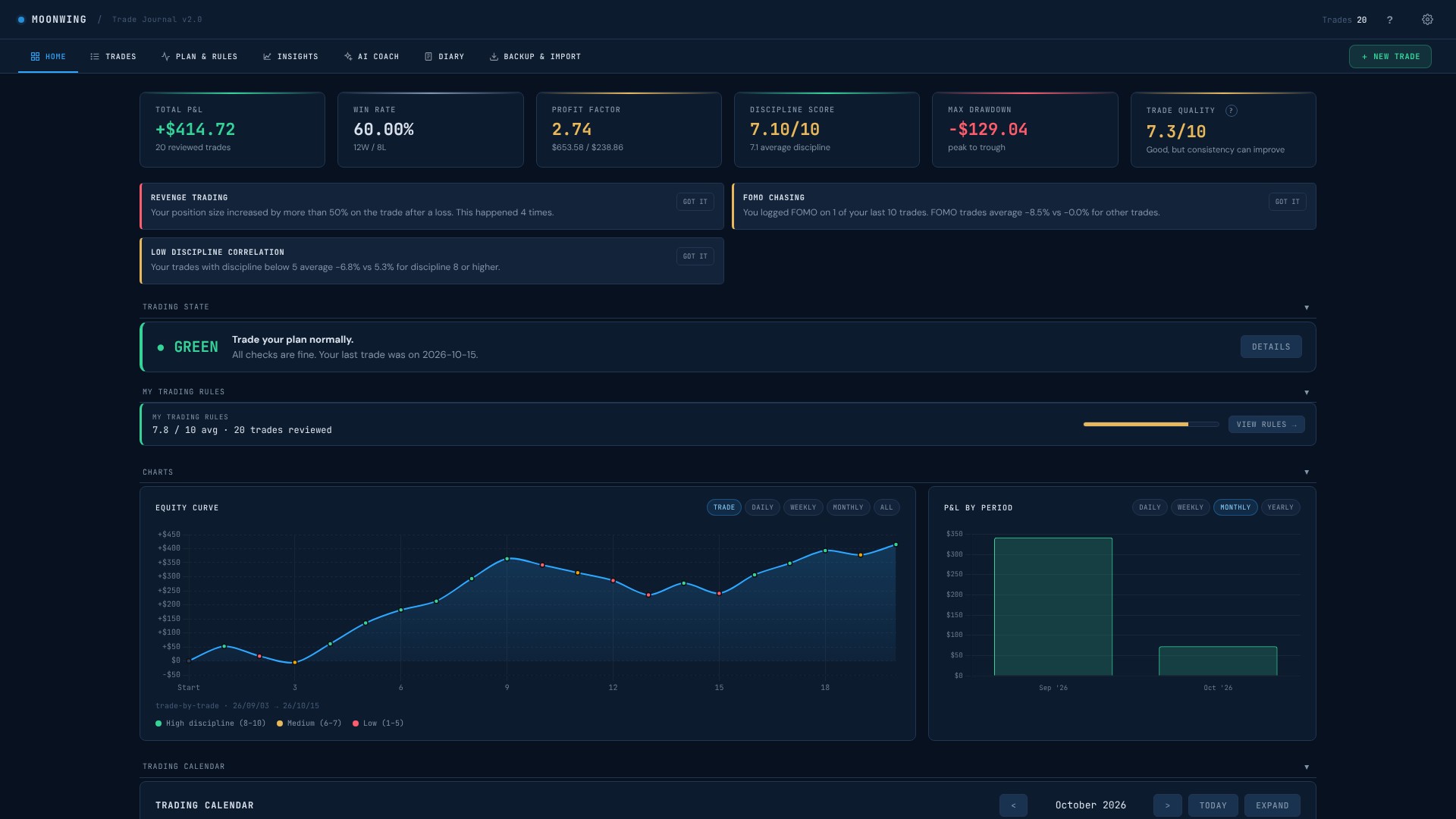
Your numbers at a glance: results, win rate, discipline score and a clear signal for how to trade today.
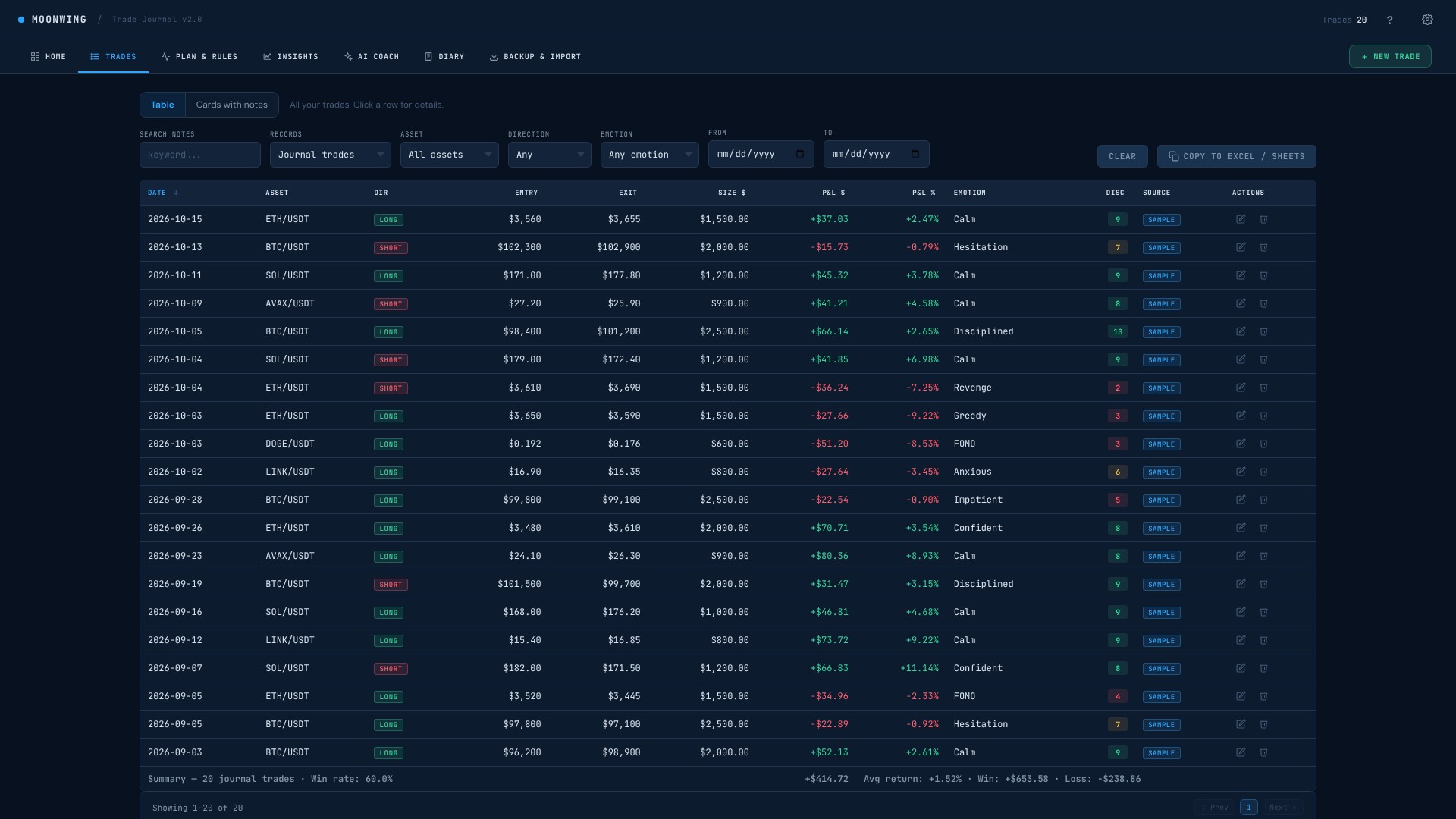
Every trade in one table: entry, exit, how you felt and a discipline score. Search and filter in seconds.
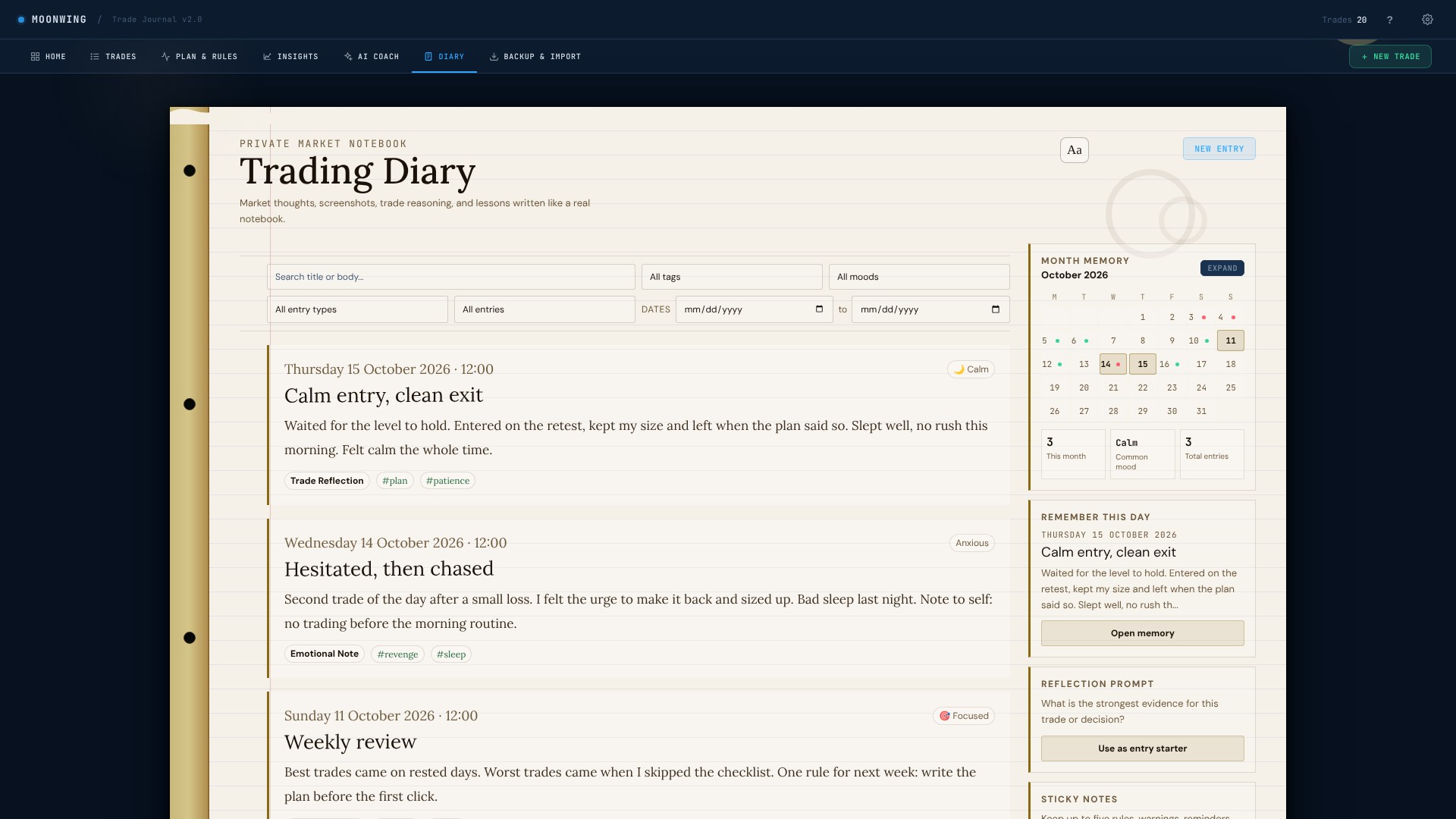
Write what you felt, how you slept and what you noticed. A few weeks later, the pattern shows up.
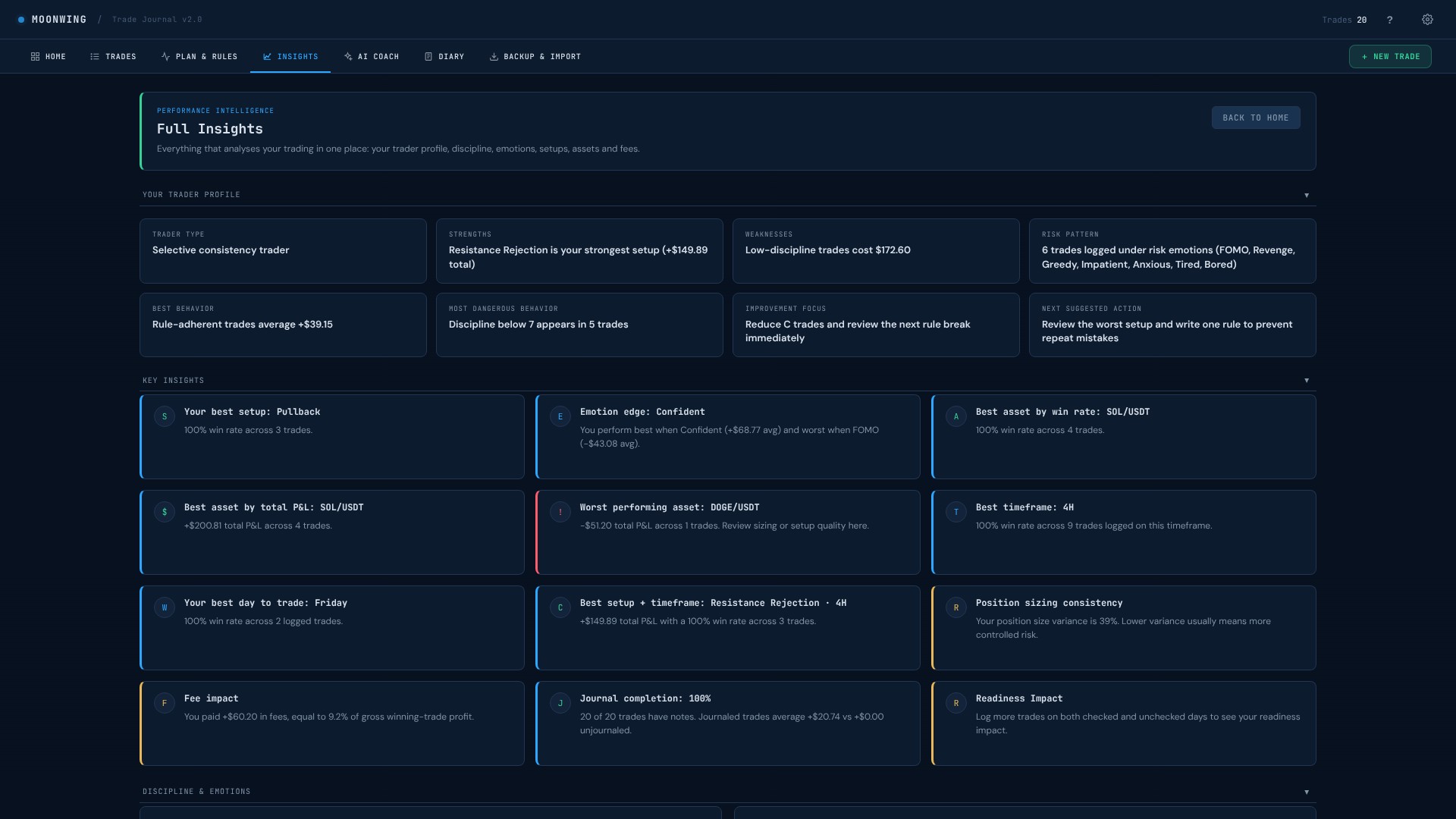
Your best setups, your weak spots and your habits, found for you from your own trades.
Screens show sample data.
Bybit, Binance, OKX, Kraken and Coinbase files, with a preview first.
Pick a file once. Moonwing keeps it up to date after every change.
Ready prompts for ChatGPT, Claude, Gemini and others. You decide what to share.
Your trades go straight into Excel or Google Sheets.
Ten honest minutes after each session.
That's the whole habit.
What you get
The full journal in your browser. Works offline, your data stays on your computer.
The same journal as a spreadsheet, with insights built in.
No Microsoft licence needed. Open it in your Google account.
Short, clear guides on how to get the most from every part.
Resources
Learn how to use Moonwing, find helpful material and see what we are building next.
A full walkthrough of the journal, from your first trade to your first weekly review. About 15 minutes.
A one-page trade checklist, a position size sheet and a weekly review template to help you work with a plan.
Strategy templates, level maps and tools that fit the journal. We are working on them.
Exchanges, charting and tools we would use ourselves. Each one is labeled.
Questions
One download with the app (HTML), the Excel file, the Google Sheets version and the PDF guides.
The app runs in any modern browser. The spreadsheets work in Excel and Google Sheets. Use a computer for the best experience.
On your own device. Nothing is sent to us.
Your statutory consumer rights apply. If a file is faulty, contact us so we can resolve it.
Updates to the files are free. We will tell you how to get them.
Moonwing is a journal. It helps you notice your own habits and keep a plan. It does not teach trading, but the guides explain how to use each part.
No. Moonwing is a journal and learning tool. It does not give financial advice and does not promise results.
Write to hello@moonwing.io.