Moonwing

Inside the app

Every screen. Every feature.

A tour of Moonwing, page by page: what each page is for and how it works. Switch between the App, Excel and Google Sheets versions. Screens show sample data.
Show all as
HomeTradesNew tradePlan & RulesInsightsAI CoachDiaryBackup & Import
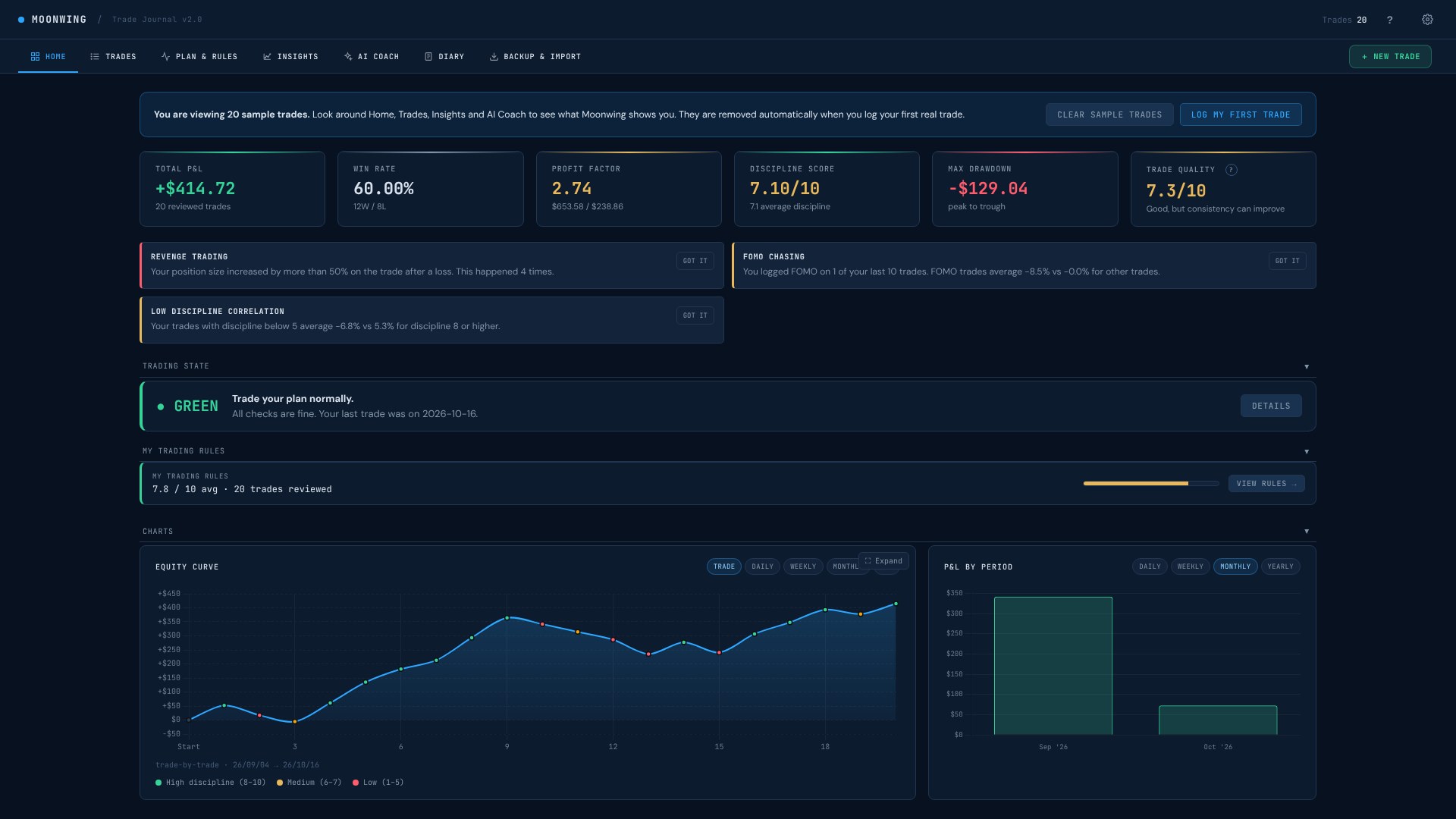
Moonwing · Home · App
Moonwing Home in App
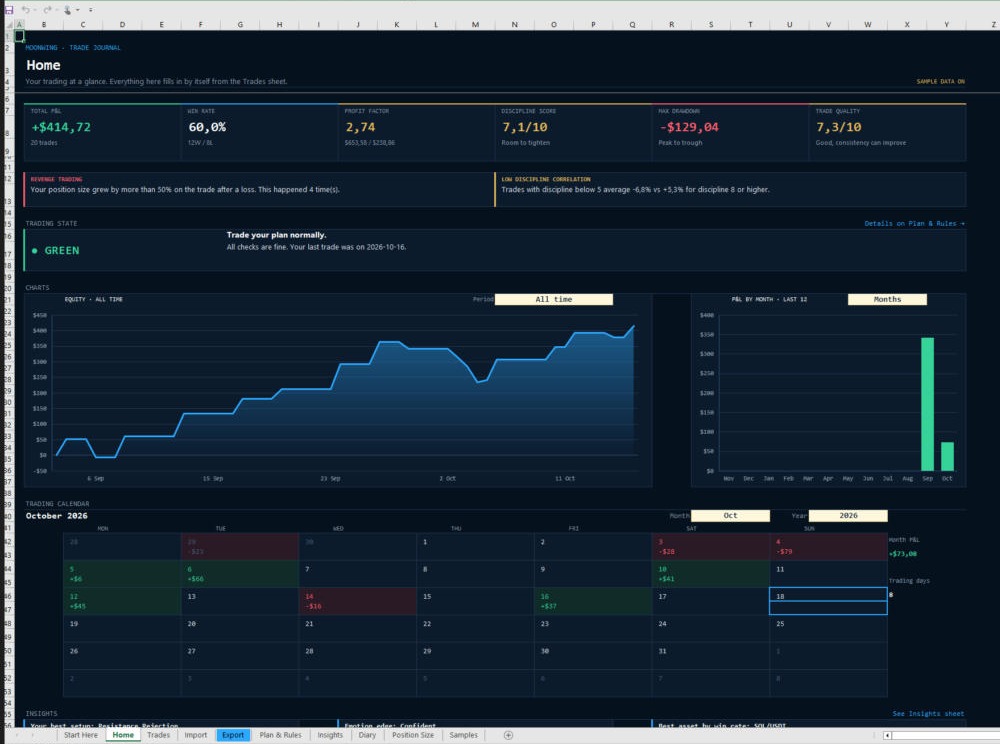
Moonwing · Home · Excel
Moonwing Home in Excel
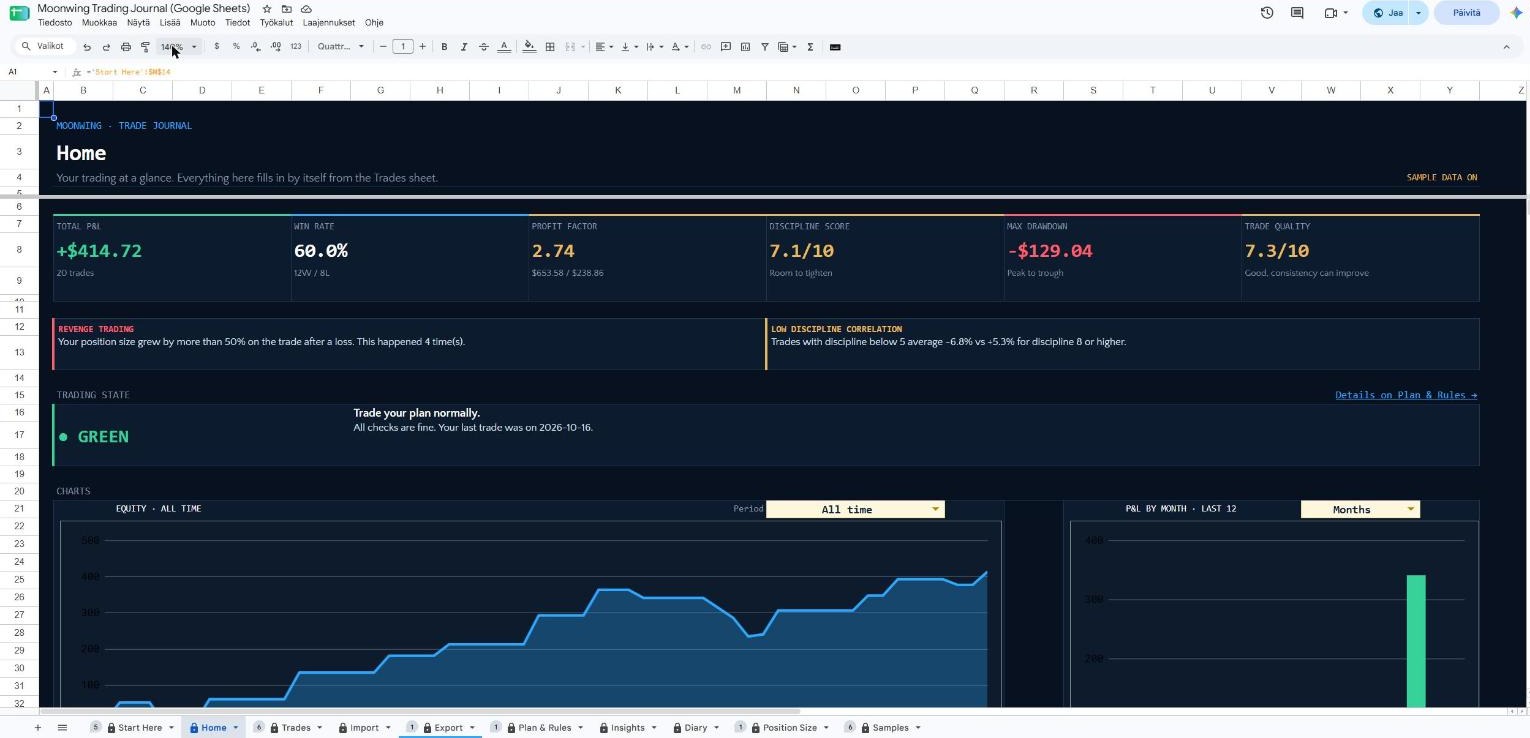
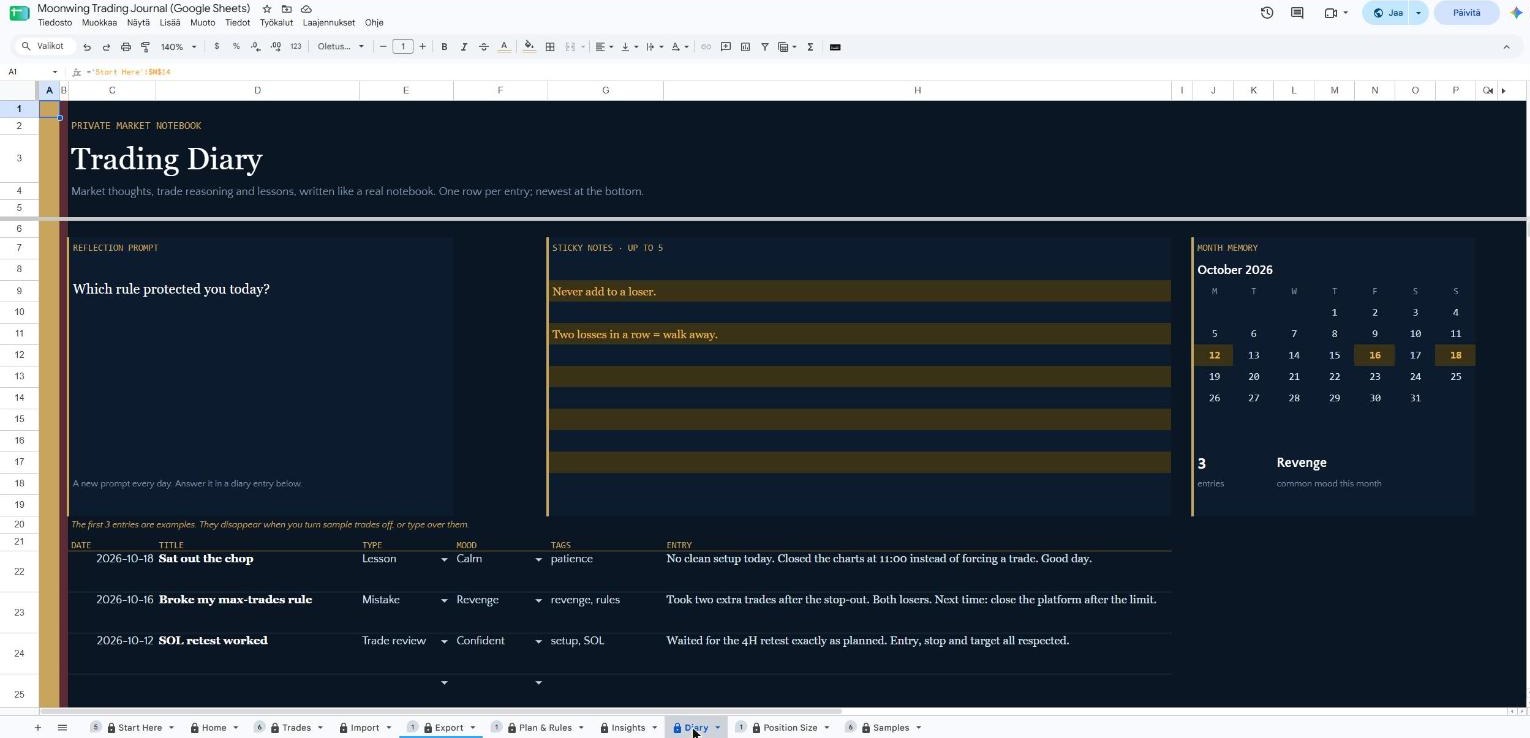
Moonwing · Home · Google Sheets
Moonwing Home in Google Sheets
Click a screen to enlarge

01 · Home

Your trading at a glance

The first screen you see. It shows how your trading is going and whether today is a good day to trade.
How it works

  • Key numbers: total result, win rate, profit factor, discipline score, biggest drop and trade quality.
  • Pattern alerts that warn you about things like revenge trading or chasing (FOMO).
  • A trading light (green, amber or red) that tells you how to trade today.
  • An equity curve where each dot is colored by how disciplined the trade was, plus results by day, week or month.
  • A trading calendar for the month.
Moonwing · Trades · App
Moonwing Trades in App
Moonwing · Trades · Excel
Moonwing Trades in Excel

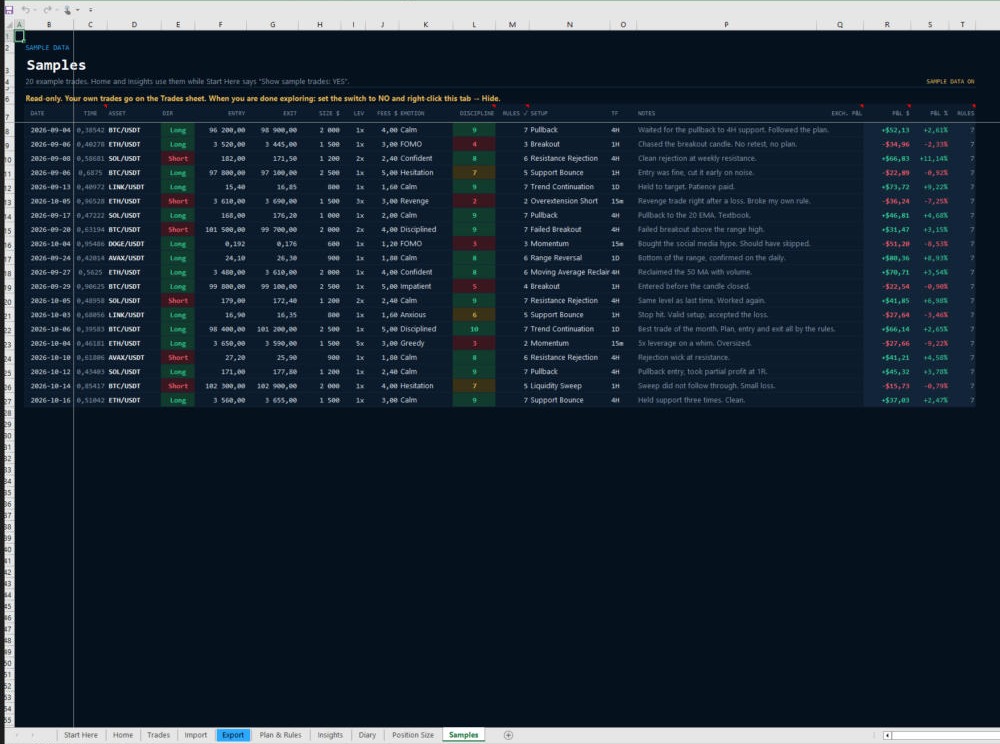
The spreadsheets come with 20 sample trades on their own Samples sheet. Your own trades go on the Trades sheet.
Moonwing · Trades · Google Sheets
Moonwing Trades in Google Sheets

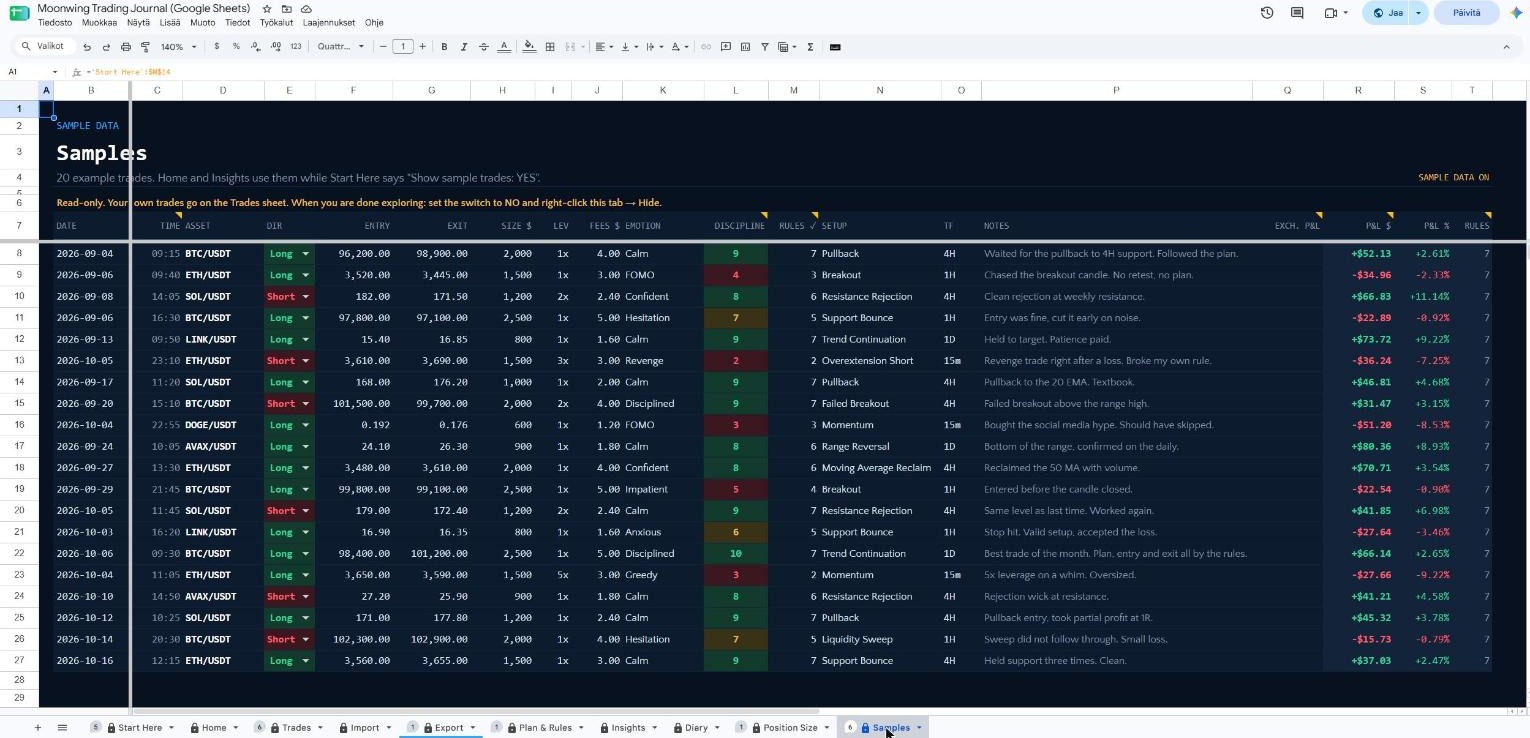
The spreadsheets come with 20 sample trades on their own Samples sheet. Your own trades go on the Trades sheet.

Click a screen to enlarge

02 · Trades

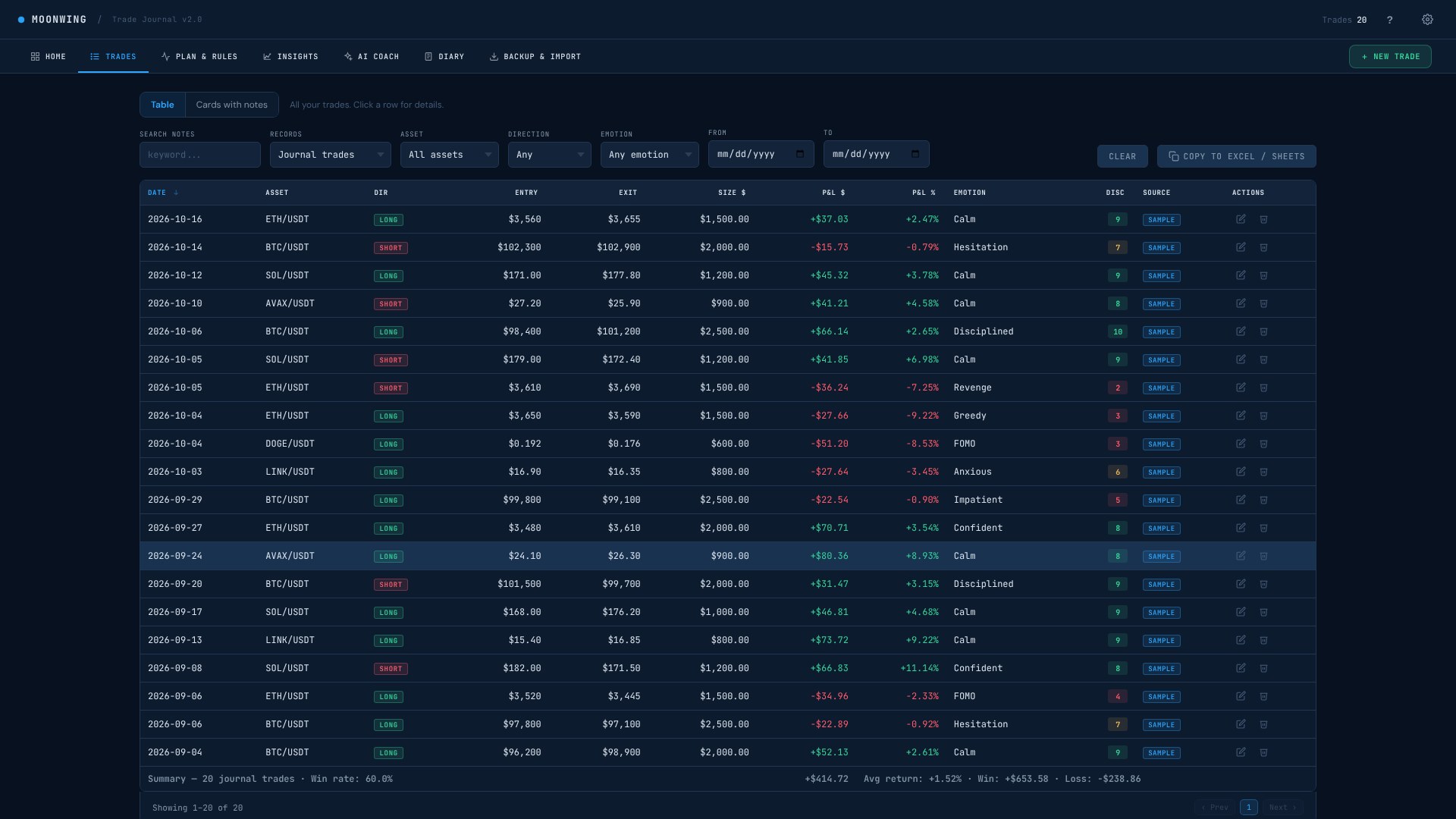
Every trade in one place

The full list of your trades, so you can look back, search and learn.
How it works

  • Switch between a table view and cards that show your notes.
  • Filter by asset, direction, emotion and dates, or search your notes.
  • Each row shows entry, exit, size, result, how you felt and a discipline score.
  • Copy the list straight into Excel or Google Sheets with one button.
Moonwing · New trade · App
Moonwing New trade in App
Moonwing · Excel
App only

In Excel and Google Sheets you log a trade by typing one row on the Trades sheet. Your result and the stats fill in by themselves.

Moonwing · Google Sheets
App only

In Excel and Google Sheets you log a trade by typing one row on the Trades sheet. Your rules checklist and results fill in by themselves.

Click a screen to enlarge

03 · New trade

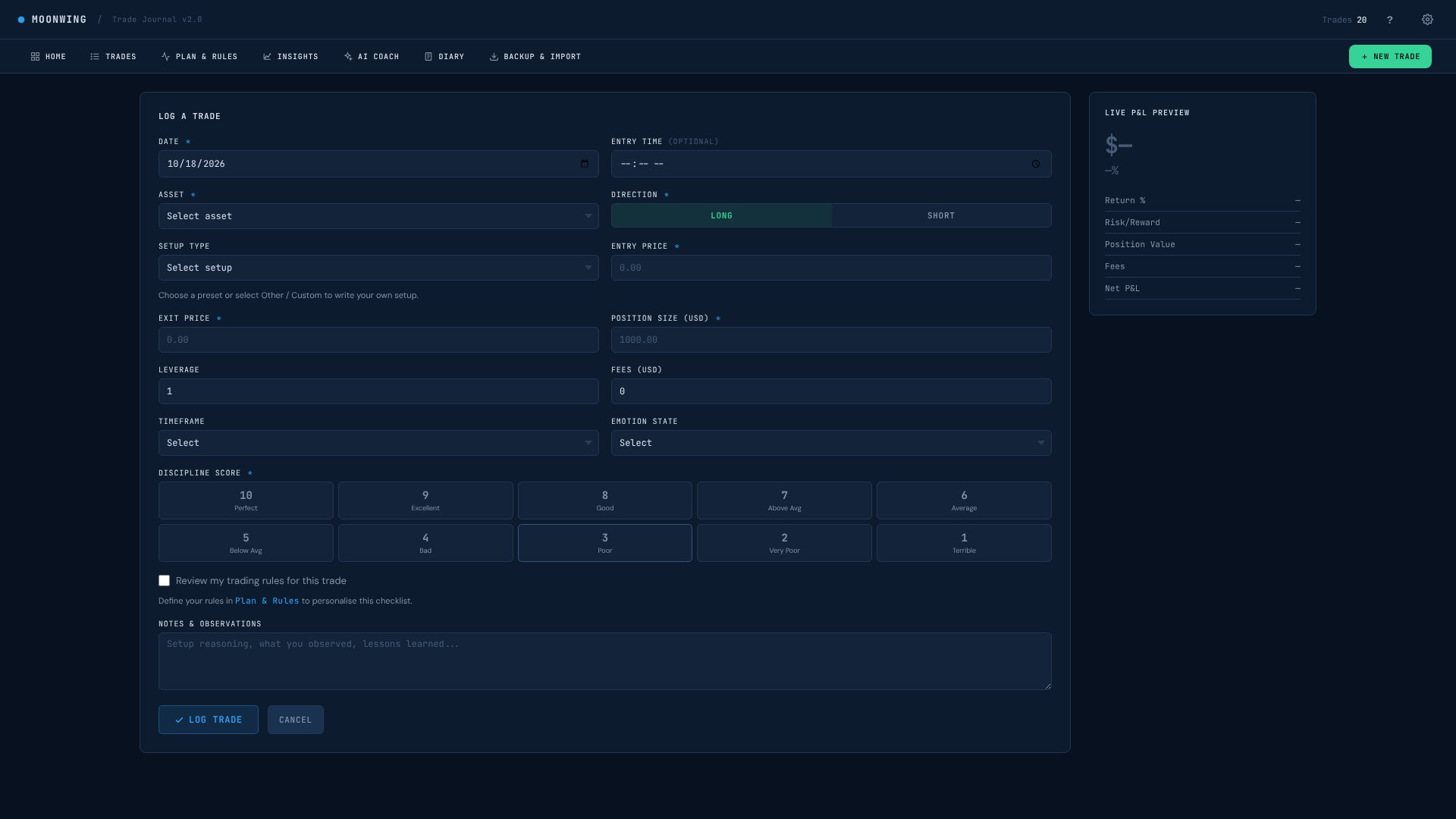
Log a trade in under a minute

The form you fill in after each closed trade. Short on purpose, so the habit sticks.
How it works

  • Pick the asset, direction and setup from ready lists, or write your own.
  • Add entry, exit, size, leverage, fees and timeframe.
  • Choose how you felt and give the trade a discipline score from 1 to 10.
  • A live preview shows your result, return and risk/reward while you type.
  • Tick through your own trading rules for the trade, and add notes.
Moonwing · Plan & Rules · App
Moonwing Plan & Rules in App
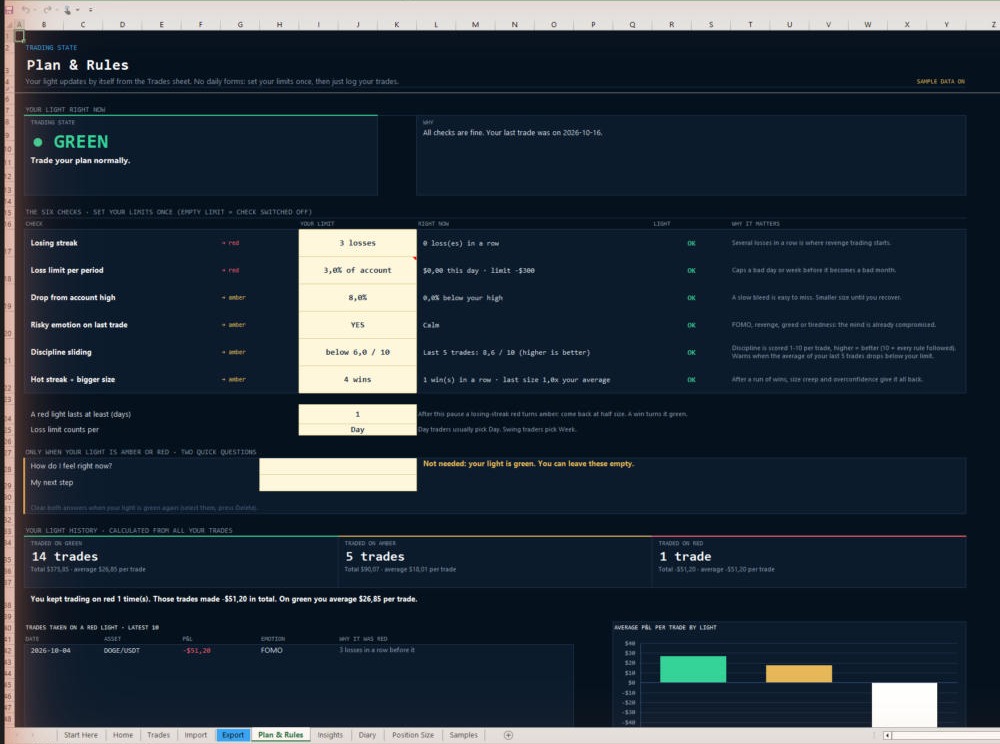
Moonwing · Plan & Rules · Excel
Moonwing Plan & Rules in Excel
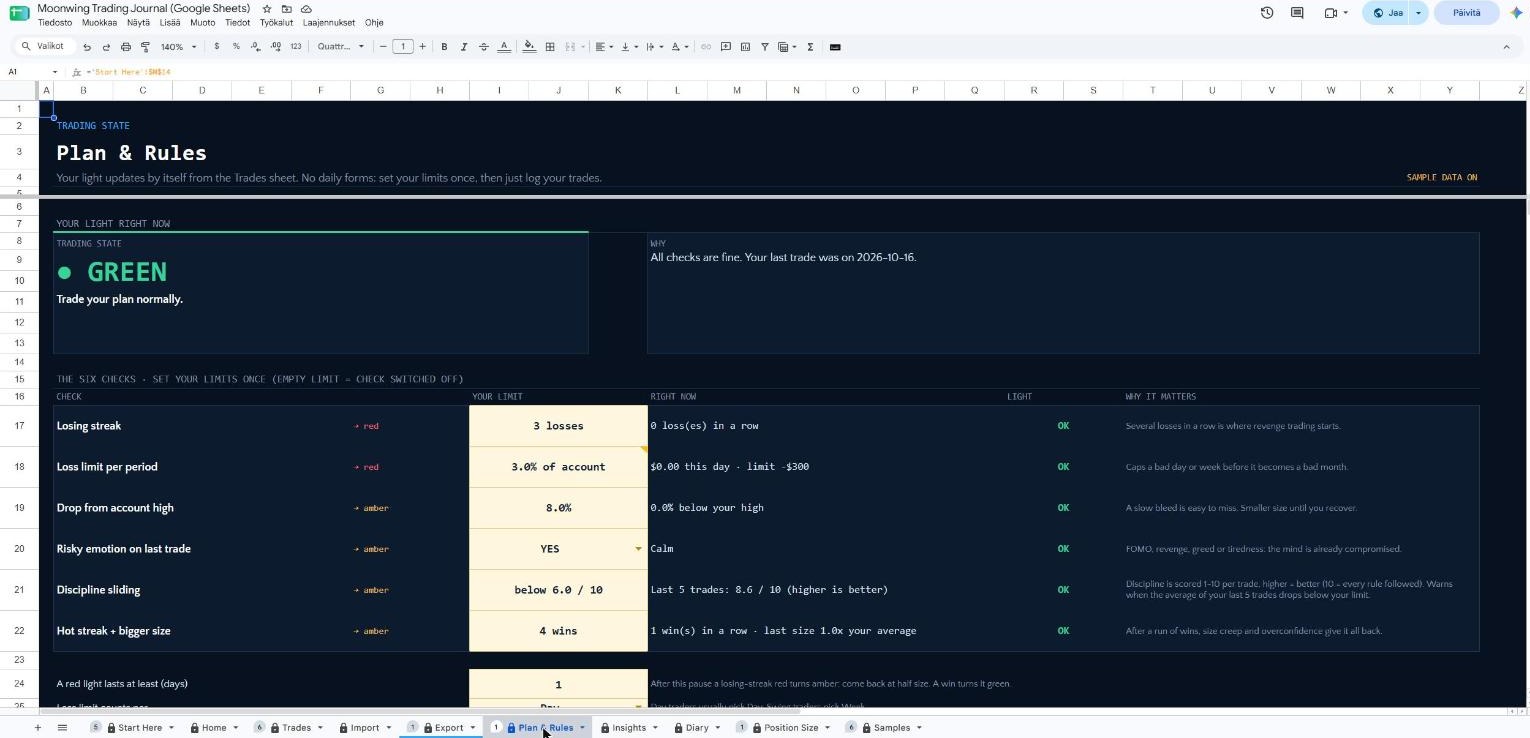
Moonwing · Plan & Rules · Google Sheets
Moonwing Plan & Rules in Google Sheets
Click a screen to enlarge

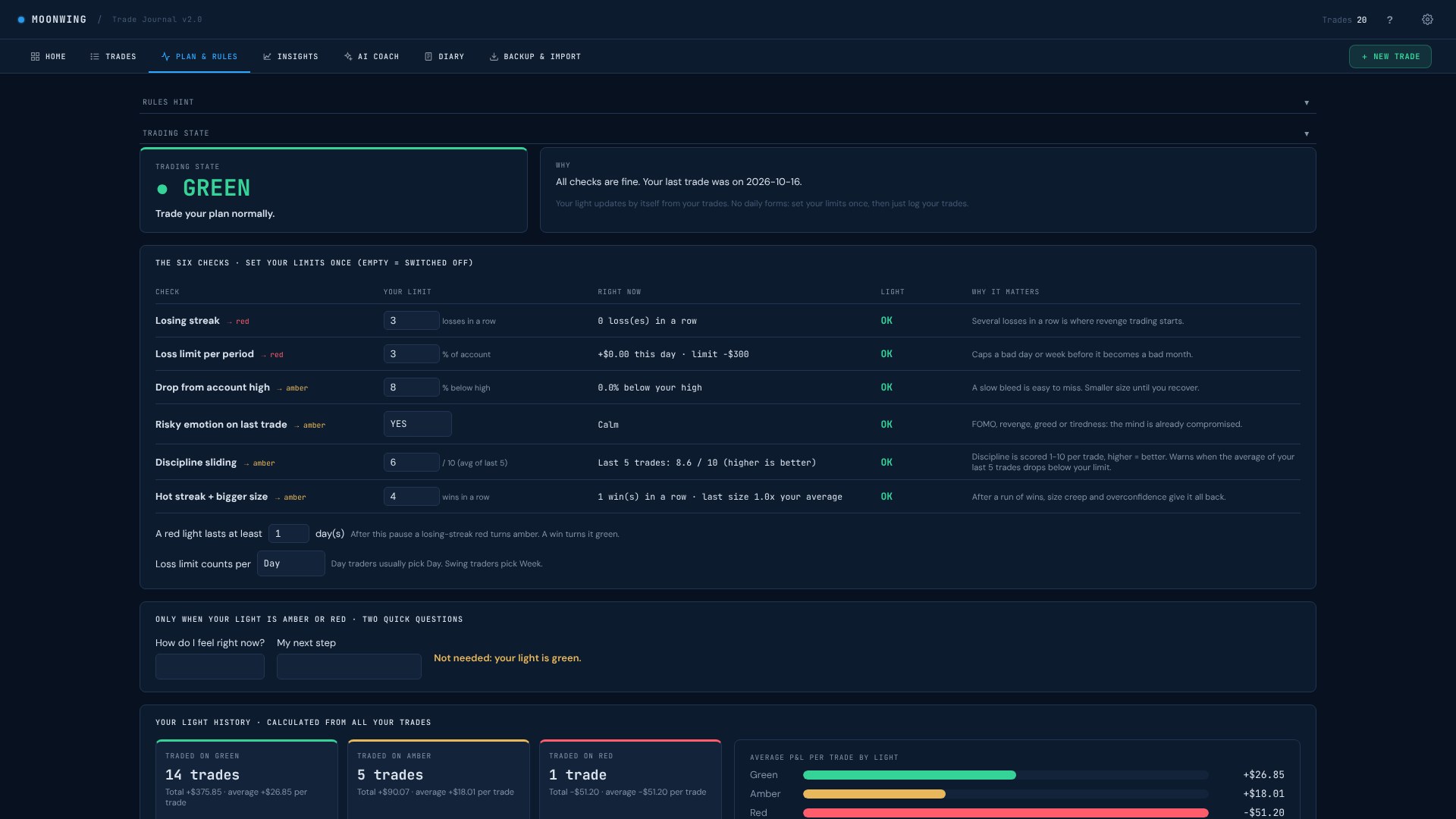
04 · Plan & Rules

Your plan, and a light that keeps you honest

Set your limits once. Moonwing then watches your trades and changes your trading light by itself.
How it works

  • Six checks: losing streak, loss limit per day or week, drop from your account high, risky emotion, sliding discipline and a hot streak with bigger size.
  • Each check turns the light amber or red, and says why it matters.
  • When the light is amber or red, two quick questions help you pick your next step.
  • Your light history shows how your trades went on green, amber and red days.
  • Write your own trading rules, then score each trade against them.
Moonwing · Insights · App
Moonwing Insights in App
Moonwing · Insights · Excel
Moonwing Insights in Excel
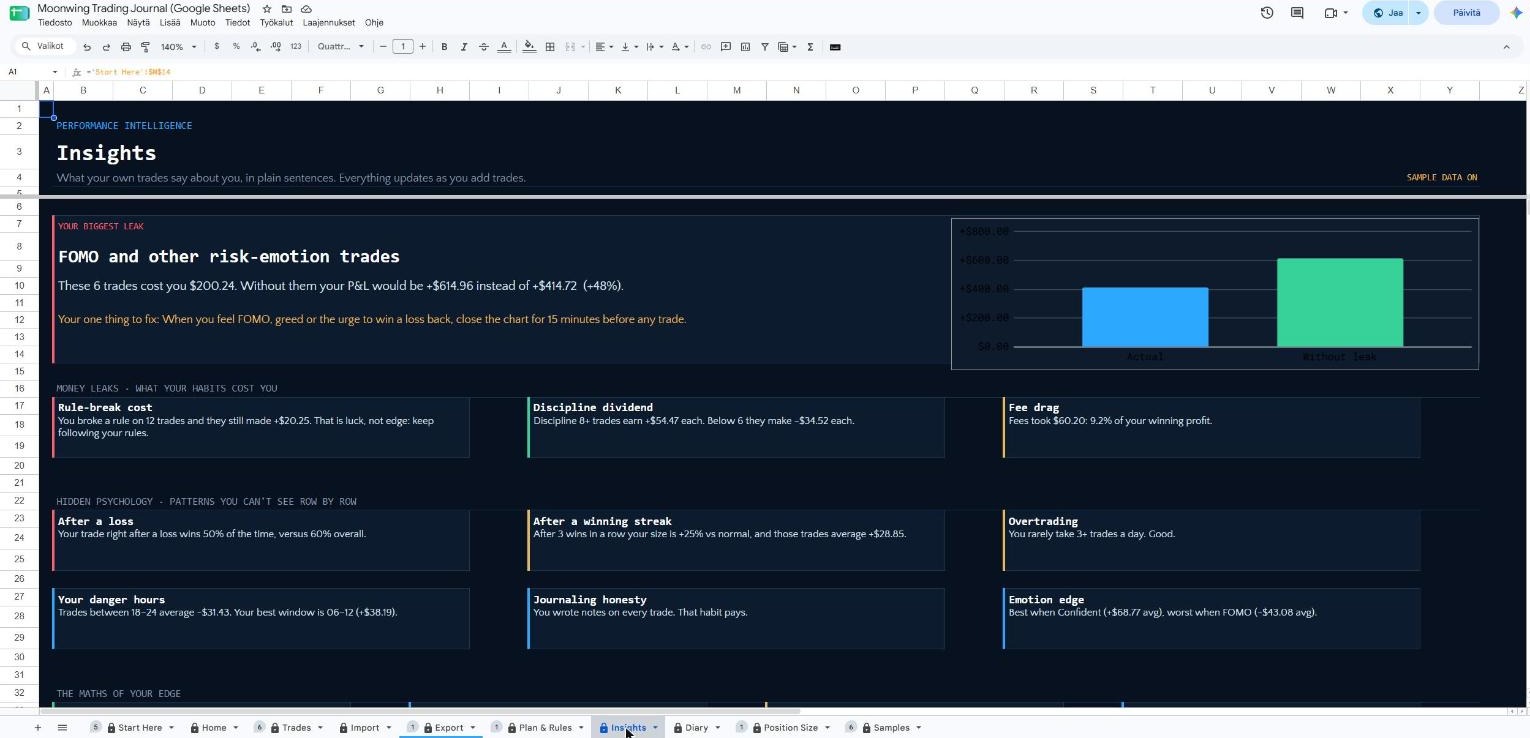
Moonwing · Insights · Google Sheets
Moonwing Insights in Google Sheets
Click a screen to enlarge

05 · Insights

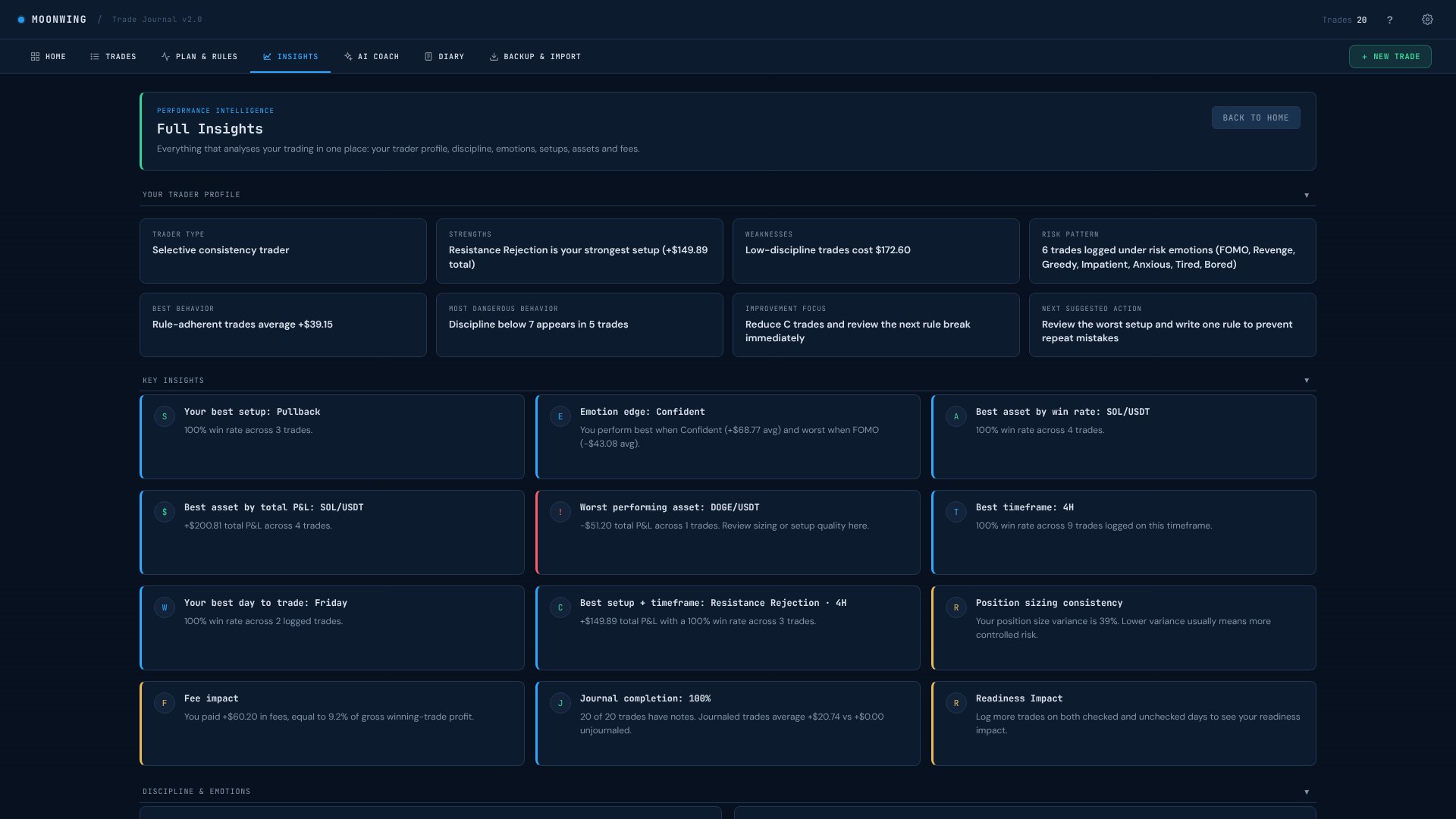
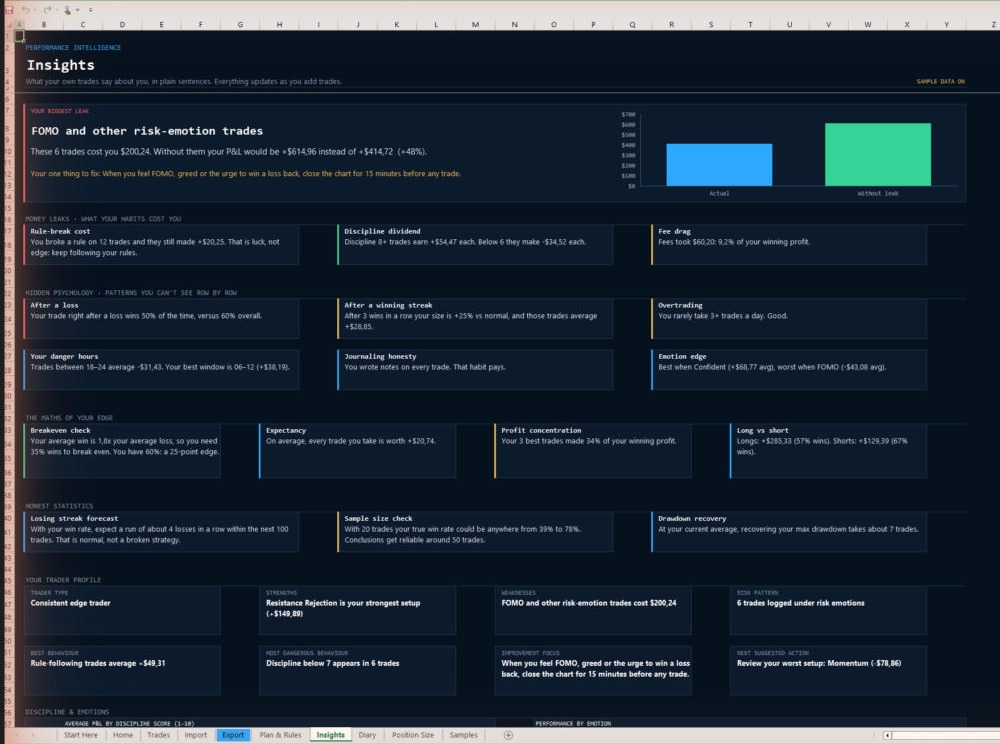
What your trades say about you

Moonwing reads your own trades and points out patterns you would not see from the rows.
How it works

  • A trader profile: your type, strengths, weak spots, risk pattern and one thing to improve next.
  • Key insights: best setup, best asset, best timeframe, best day, emotion edge, fee impact and more.
  • Discipline compared with results, and a heatmap of emotions against results.
  • Best setups and patterns, and checks on discipline and trade quality.
Moonwing · AI Coach · App
Moonwing AI Coach in App
Moonwing · Excel
App only

AI Coach is part of the app. The spreadsheets have their own Insights sheet with more than 40 written insights.

Moonwing · Google Sheets
App only

AI Coach is part of the app. The spreadsheets have their own Insights sheet with more than 40 written insights.

Click a screen to enlarge

06 · AI Coach

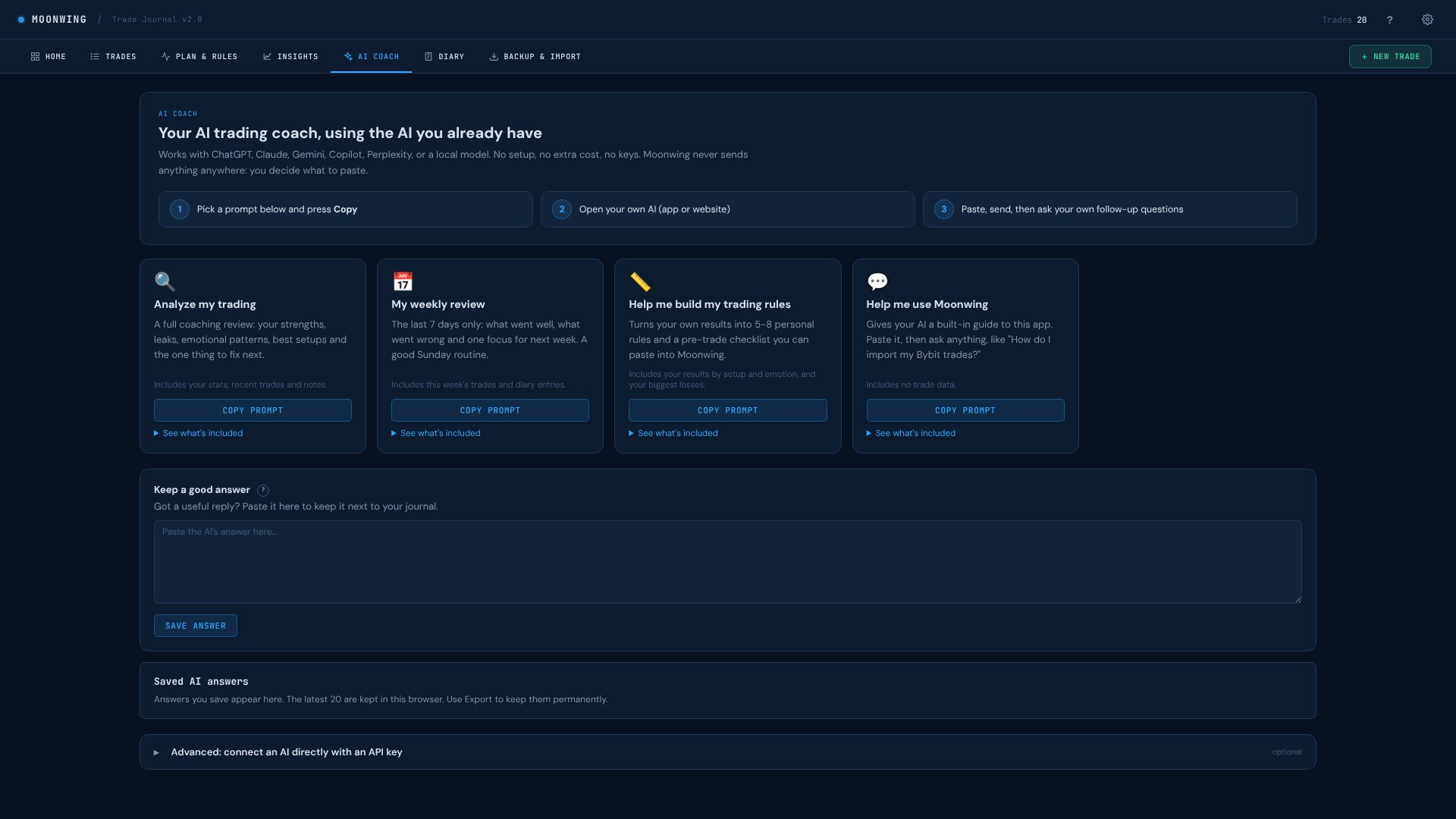
A trading coach, using the AI you already have

Get coaching from ChatGPT, Claude, Gemini, Copilot, Perplexity or a local model. No setup, no extra cost.
How it works

  • Pick a ready prompt: analyze my trading, my weekly review, help me build my trading rules, or help me use Moonwing.
  • Press Copy, paste it into your own AI and ask your own follow-up questions.
  • You decide what to paste. Moonwing never sends anything anywhere by itself.
  • Save useful answers next to your journal.
  • Optional for technical users: connect an AI directly with your own API key.
Moonwing · Diary · App
Moonwing Diary in App
Moonwing · Diary · Excel
Moonwing Diary in Excel
Moonwing · Diary · Google Sheets
Moonwing Diary in Google Sheets
Click a screen to enlarge

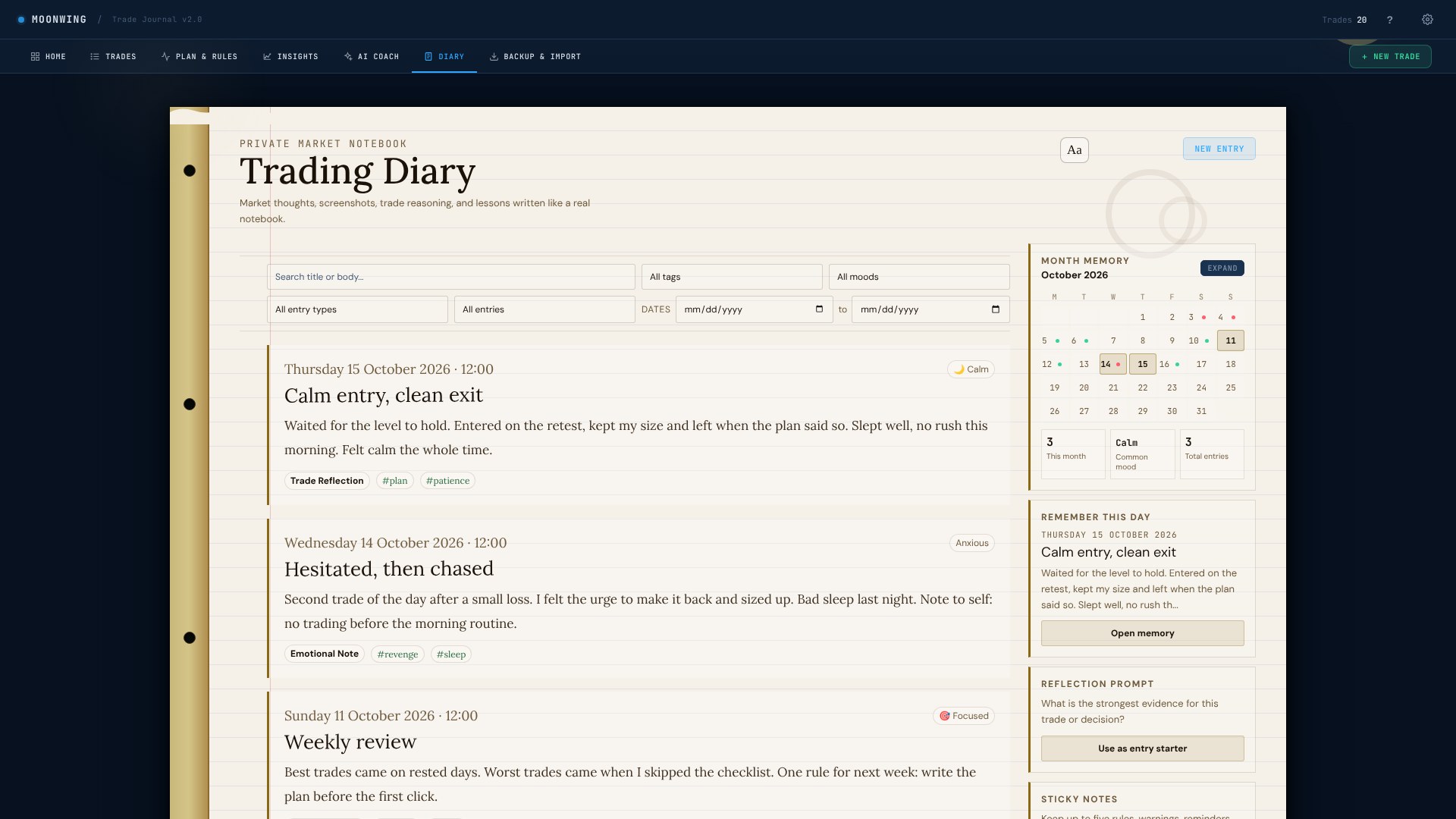
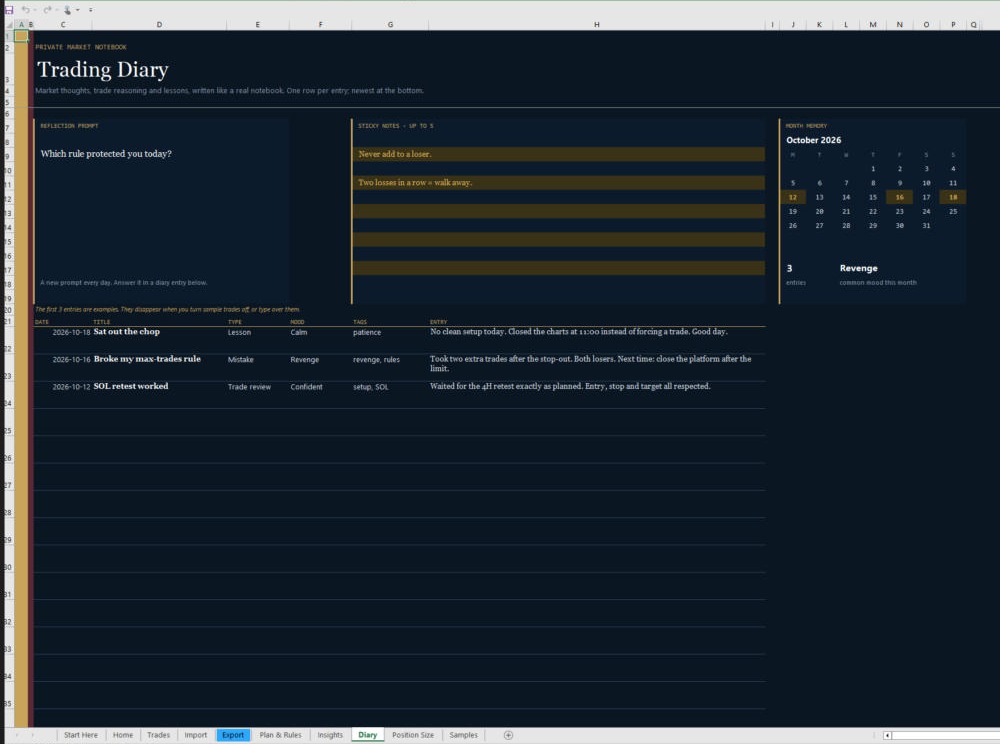
07 · Diary

Your private trading notebook

Write what you saw, felt and learned. Over time this is where the patterns show up.
How it works

  • Entry types like trade reflection, market observation, emotional note and lesson learned.
  • Add your mood, tags and up to 3 screenshots, and link an entry to a trade.
  • A month calendar shows your trading days and diary entries.
  • "Remember this day" brings back an old lesson, and a daily reflection prompt helps you start writing.
  • Pin up to five sticky notes with rules or reminders.
Moonwing · Backup & Import · App
Moonwing Backup & Import in App
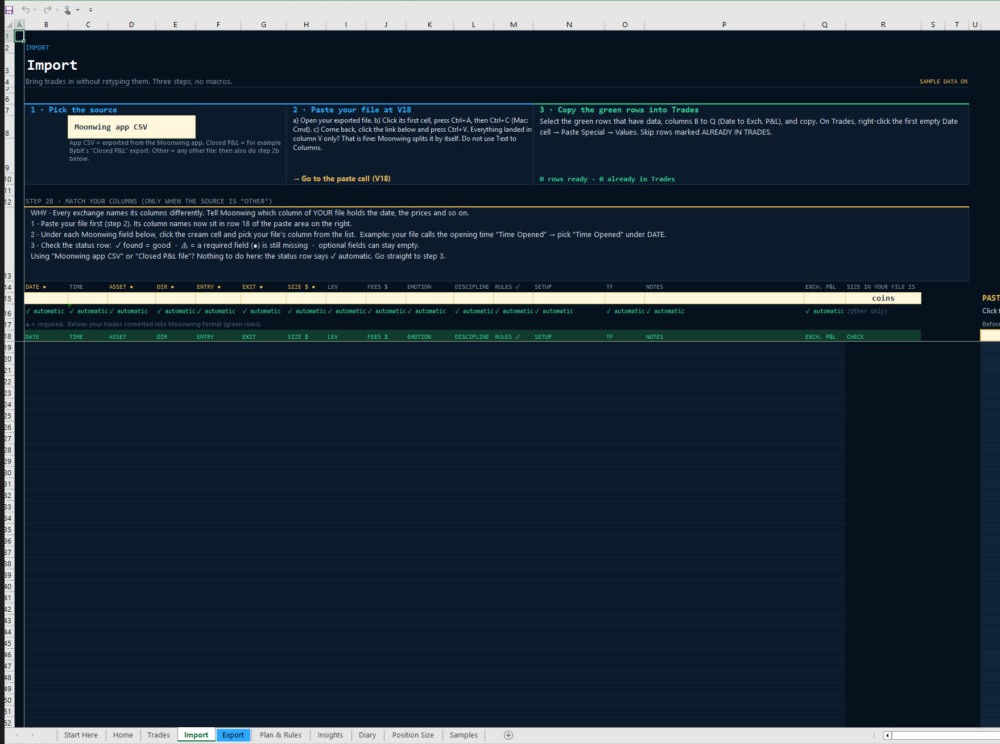
Moonwing · Backup & Import · Excel
Moonwing Backup & Import in Excel

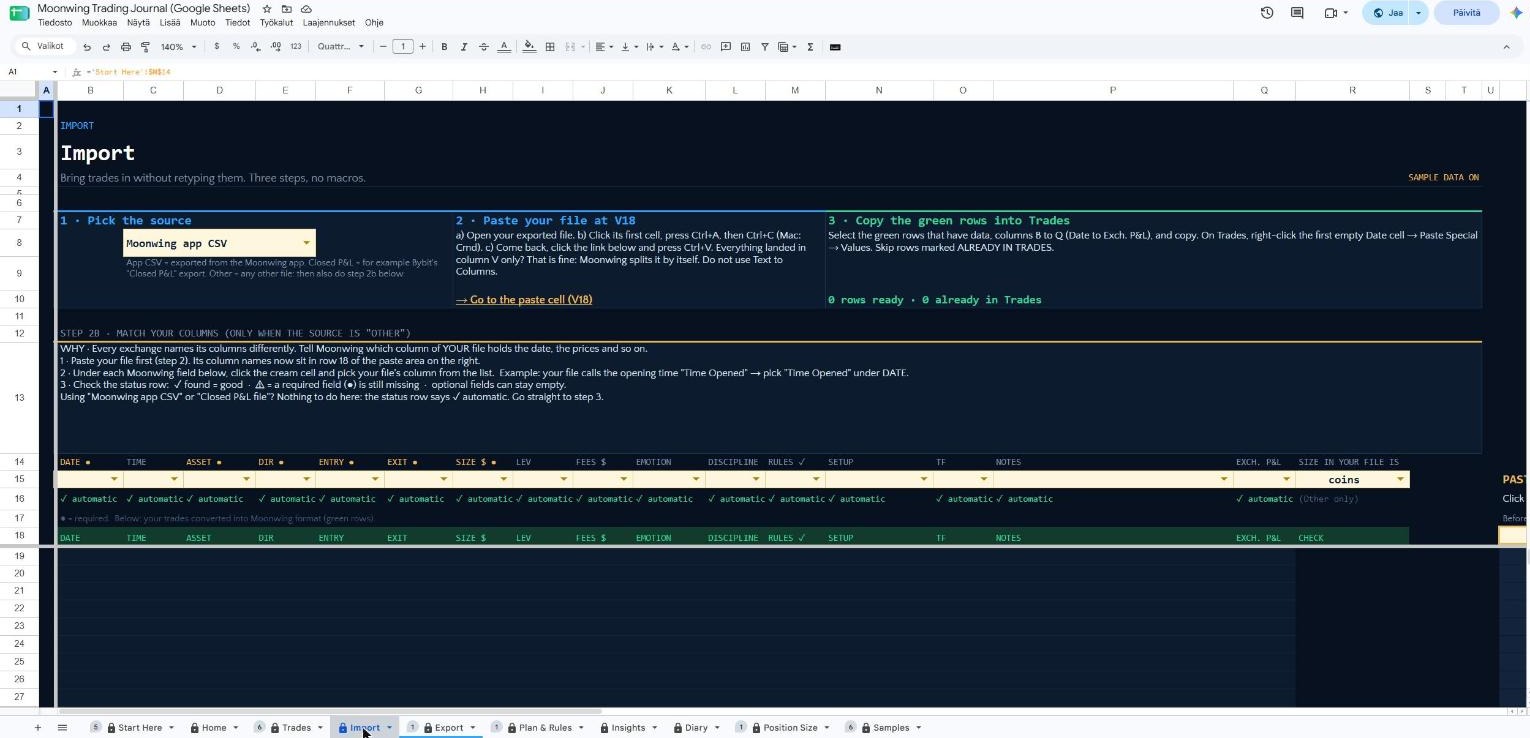
In the spreadsheets, the Import sheet brings trades in from a Moonwing app file or an exchange Closed P&L file, and the Export sheet takes them out as CSV.
Moonwing · Backup & Import · Google Sheets
Moonwing Backup & Import in Google Sheets

In the spreadsheets, the Import sheet brings trades in from a Moonwing app file or an exchange Closed P&L file, and the Export sheet takes them out as CSV.

Click a screen to enlarge

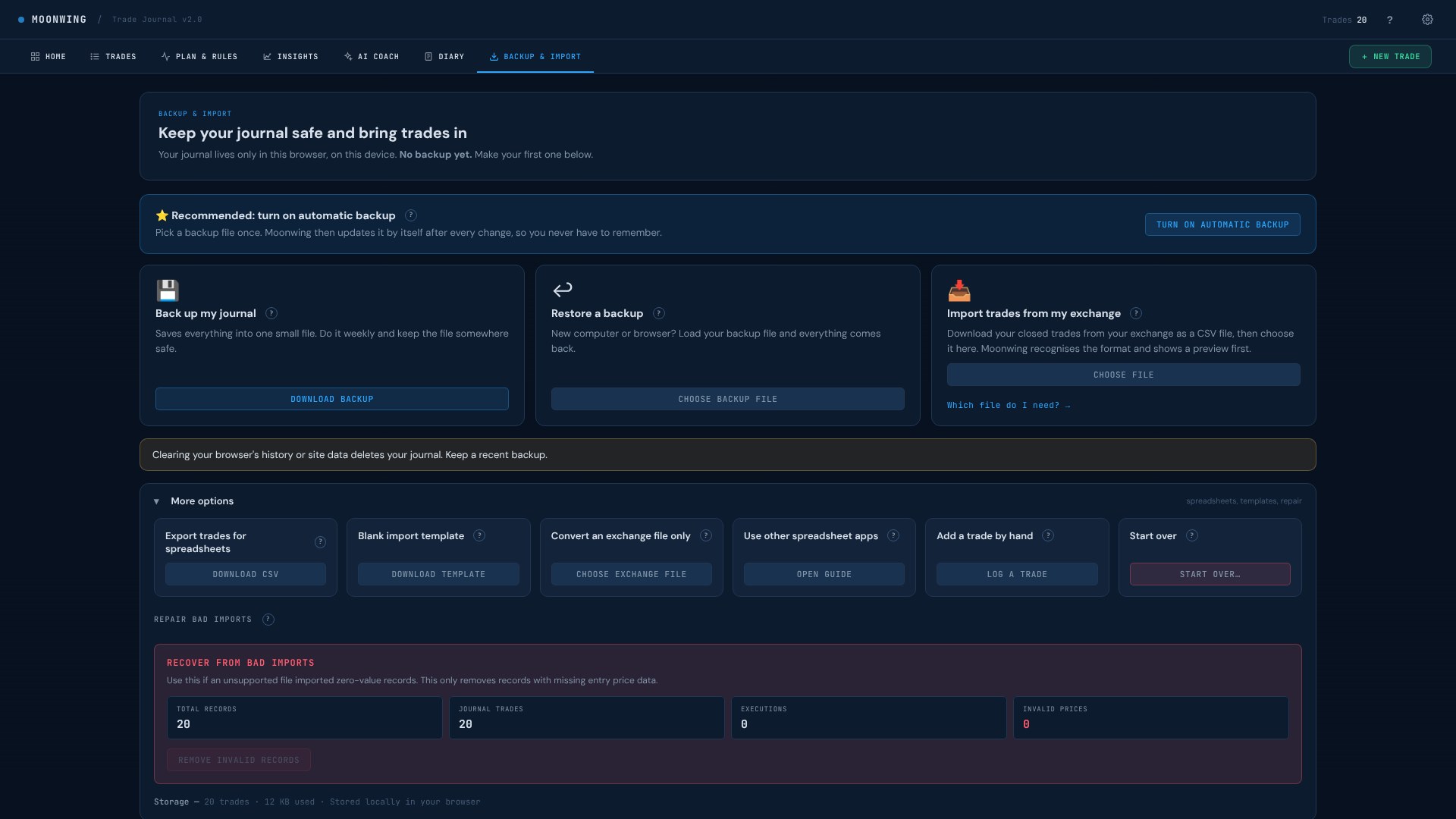
08 · Backup & Import

Keep your journal safe and bring your trades in

Your journal lives only on your own device. This page keeps it safe and moves trades in and out.

How it works

  • Automatic backup: pick a file once and Moonwing updates it after every change.
  • Back up and restore by hand, for example when you move to a new computer.
  • Import closed trades from Bybit, Binance, OKX, Kraken or Coinbase as a CSV file. You always see a preview first.
  • Export your trades for spreadsheets, download a blank import template, or convert an exchange file.
  • Repair tools clean up a bad import.

Also in the download

Not an app person? Use a spreadsheet.

Excel

The same journal as a spreadsheet, with insights built in.

Google Sheets

No Microsoft licence needed. Open it in your Google account.

PDF guides

Short, clear guides on how to get the most from every part.

Get the journal · $14.99